Features
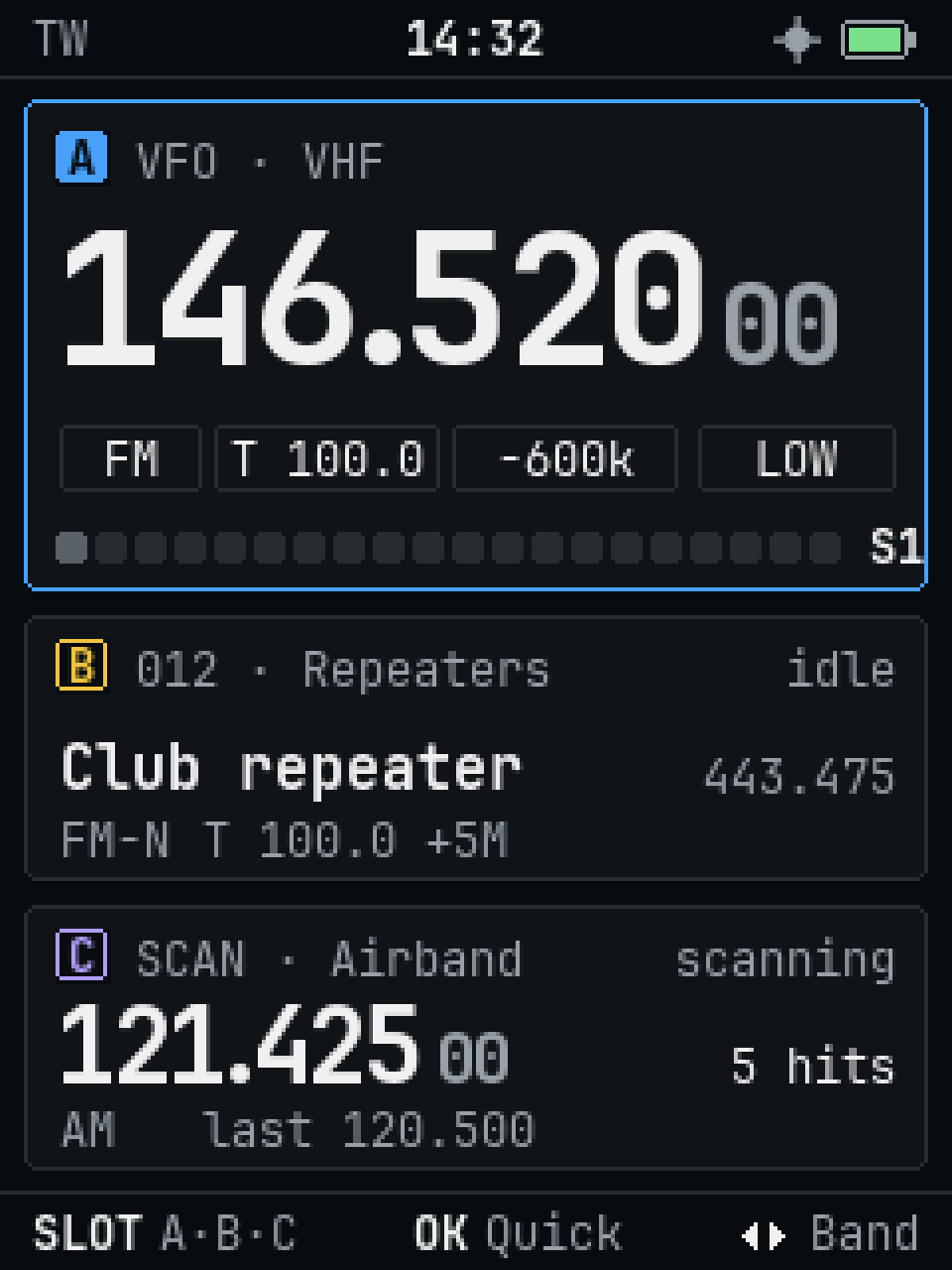
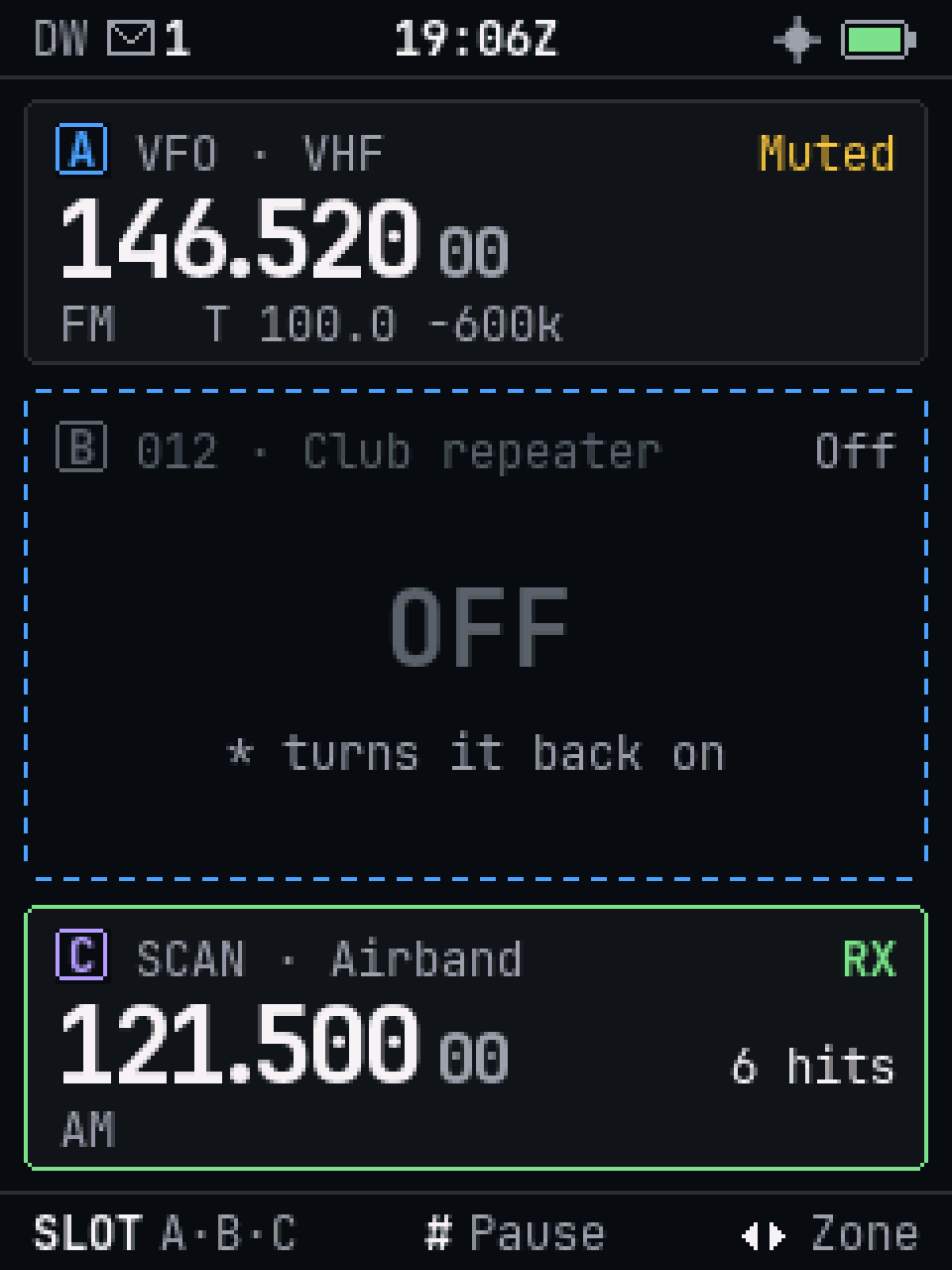
What Ferrite does on the radio today. Every screen here is the firmware's own, drawn from the same code that runs on the radio.
Everyday
Three slots, and watch
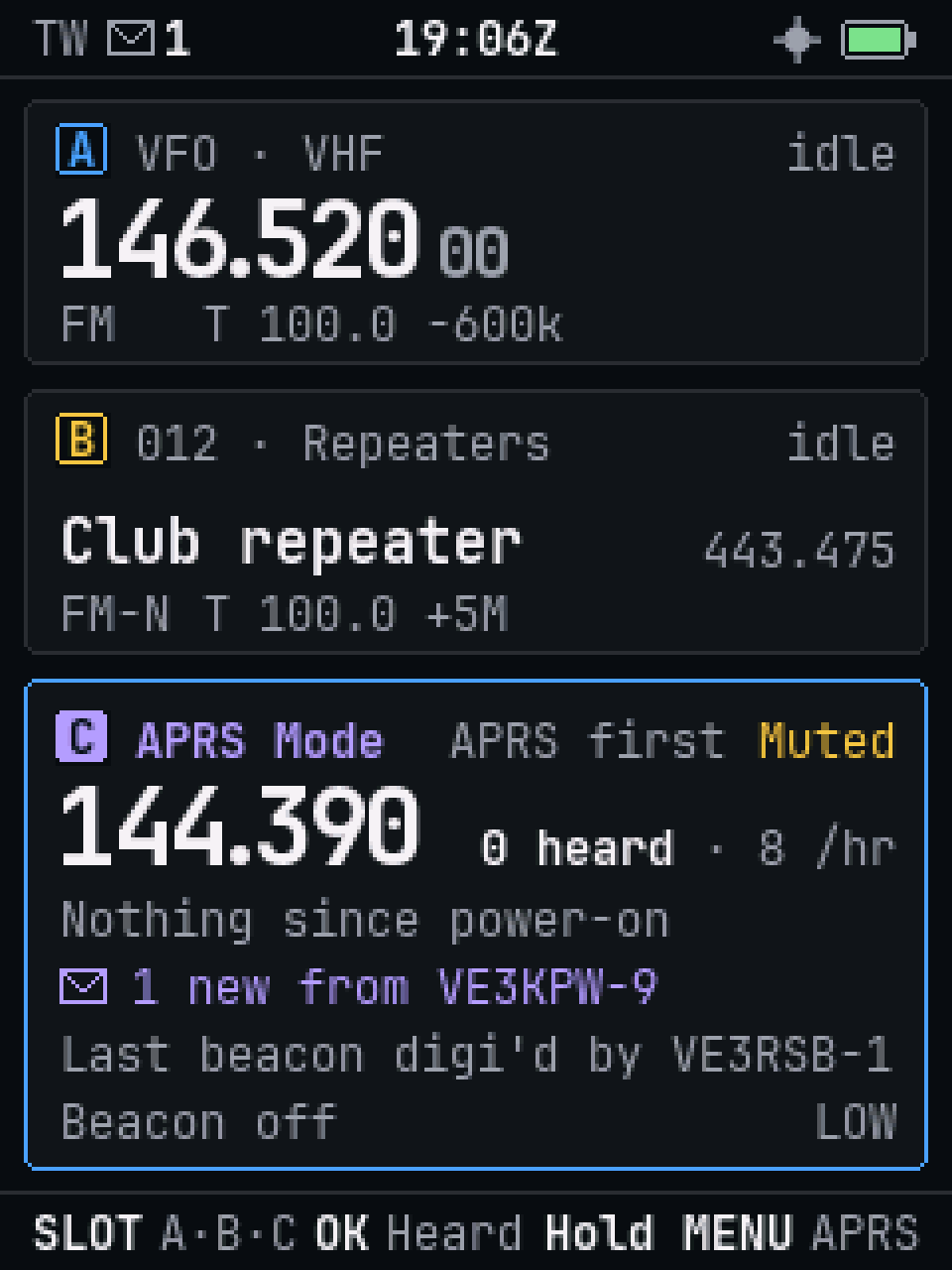
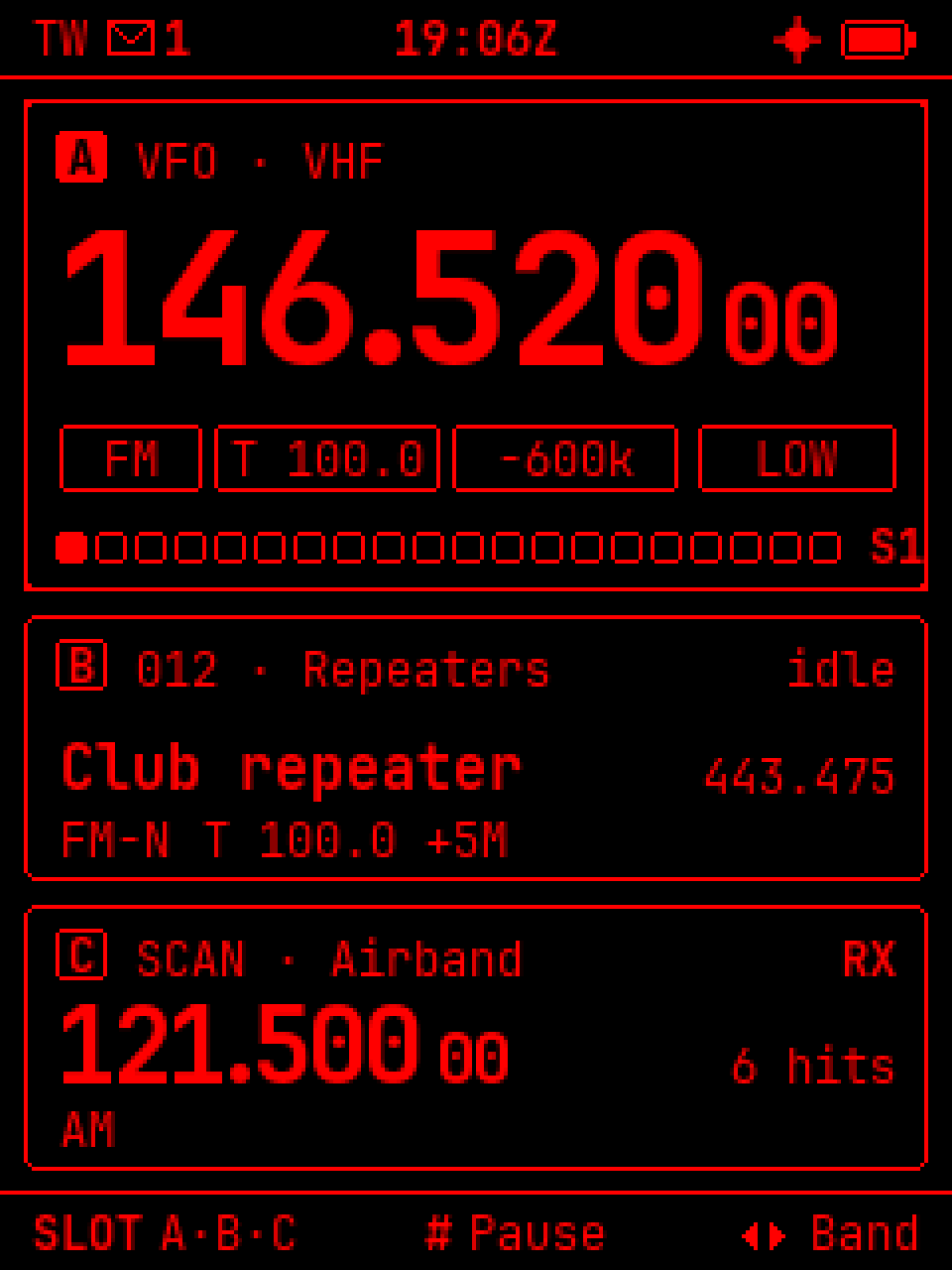
The radio has three slots, A, B and C. Each one is on a VFO or a channel. The active slot is the big one; the other two are cards, and the radio keeps listening to them too.
- Watch listens to two or three slots. The active slot is heard first; the radio never changes it by itself.
- PTT A transmits on the active slot, PTT B always on slot B.
- Mute or turn off a busy slot with *, without losing it.
- Scan a zone or a band while you listen on another slot.
- Channels in zones, like folders: "Repeaters", "Air", the weather channels. A Nearby list with a GPS fix.
Keys
One key layout, learned once
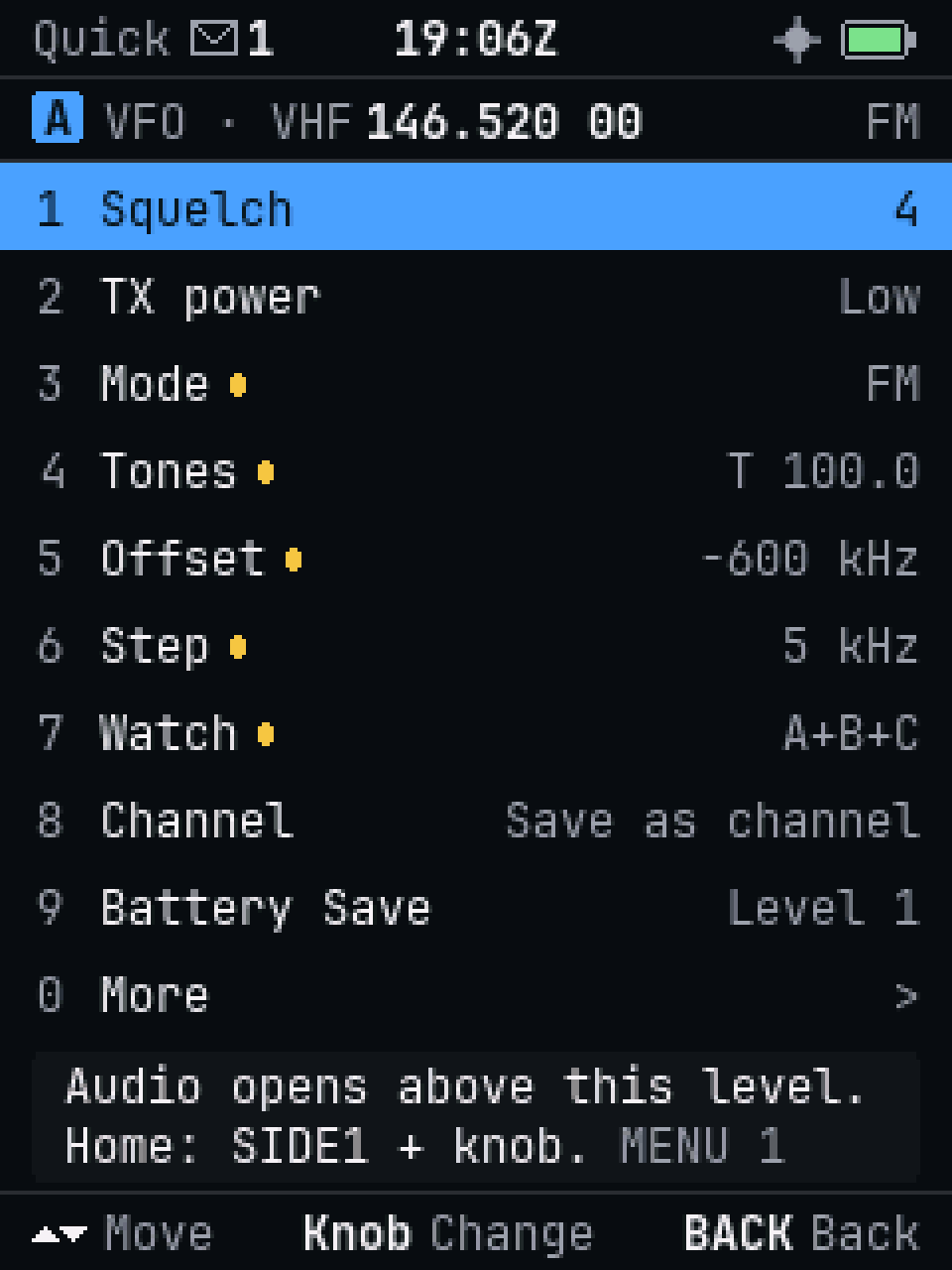
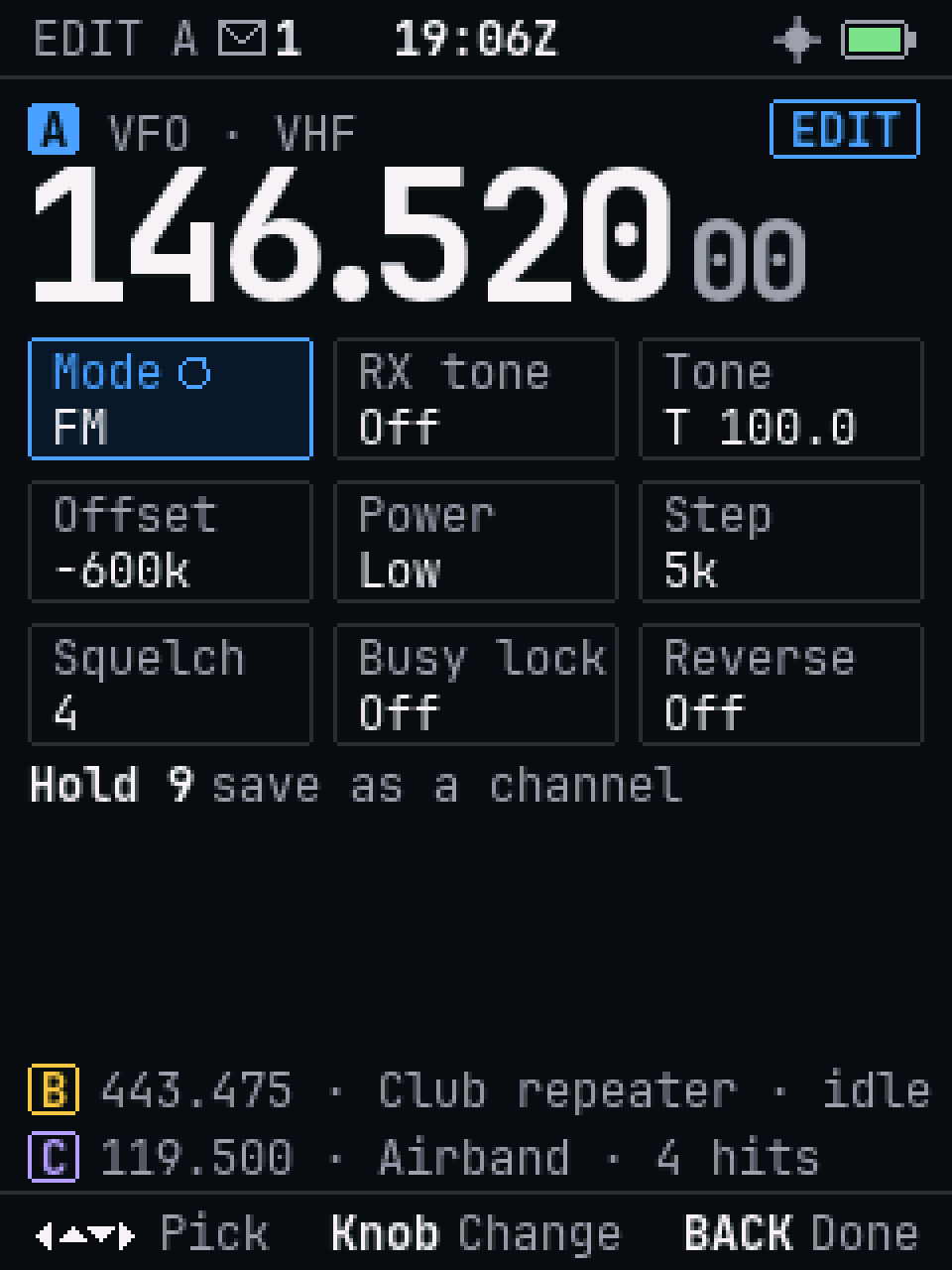
The keys do the same thing on every screen and in every mode. The bar at the bottom always shows what they do next.
- Quick settings: MENU, then a digit: squelch, power, mode, tones, offset, step, watch, save, Battery Save.
- Hold a digit for a shortcut: the band scope, power, the tone picker, shift.
- Edit a slot in place: hold SLOT, and every setting is on one screen.
- The full menu in nine groups, with number paths you can learn: MENU 0 5 2 is always APRS messages.
Transmit
Talk, and repeaters
FM voice on your region's amateur bands: 2 m, 70 cm, 6 m, 1.25 m where it is allowed, and 17 m to 10 m. You pick the region in setup.
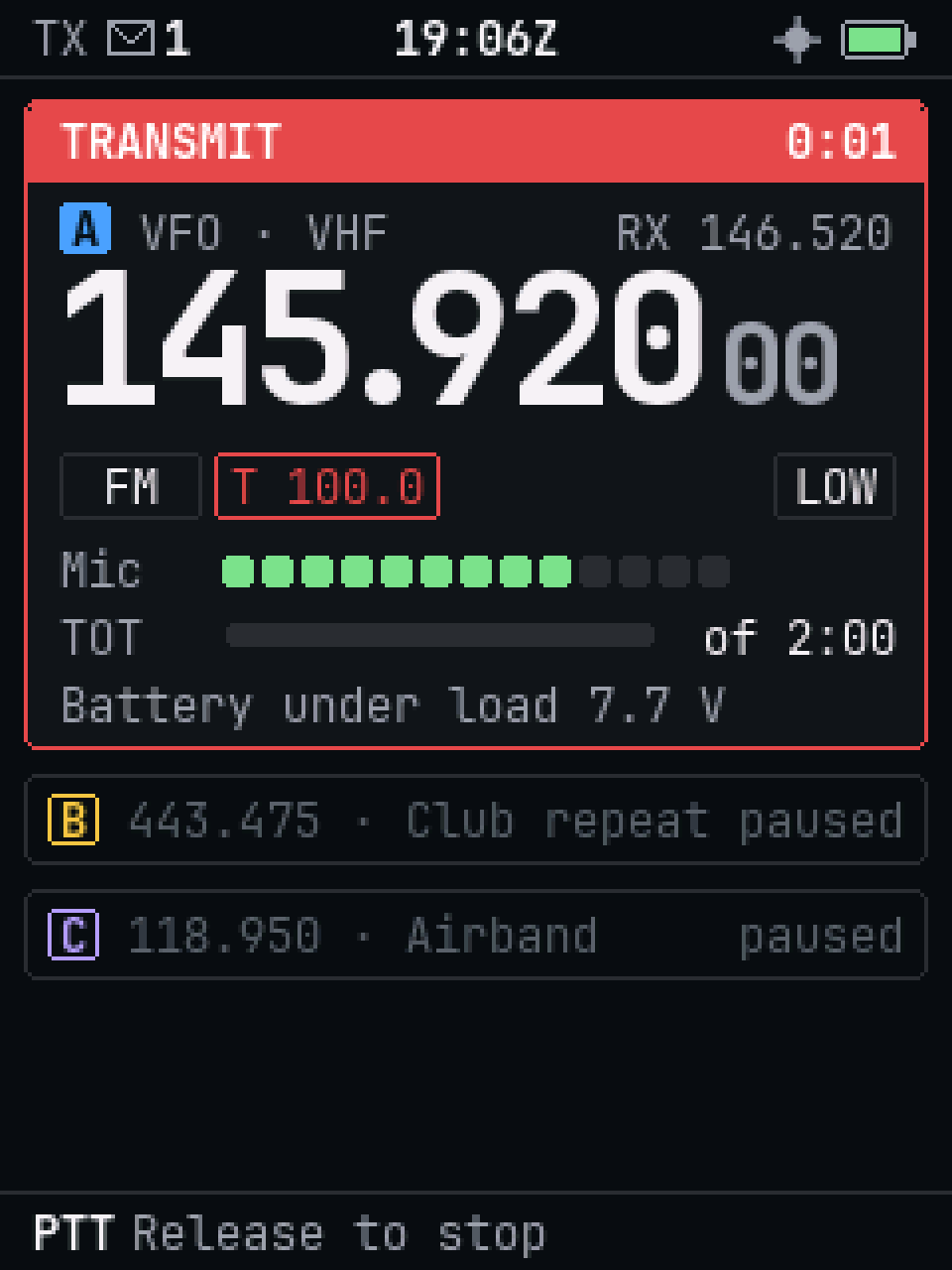
- The Transmit screen shows the frequency, power, your mic level and the time left. If the radio won't transmit, it says why and which setting fixes it.
- Add a repeater in a few presses: the shift fills in from the band plan.
- Tones (CTCSS and DCS), a tone search for an unknown one, and the 1750 Hz burst.
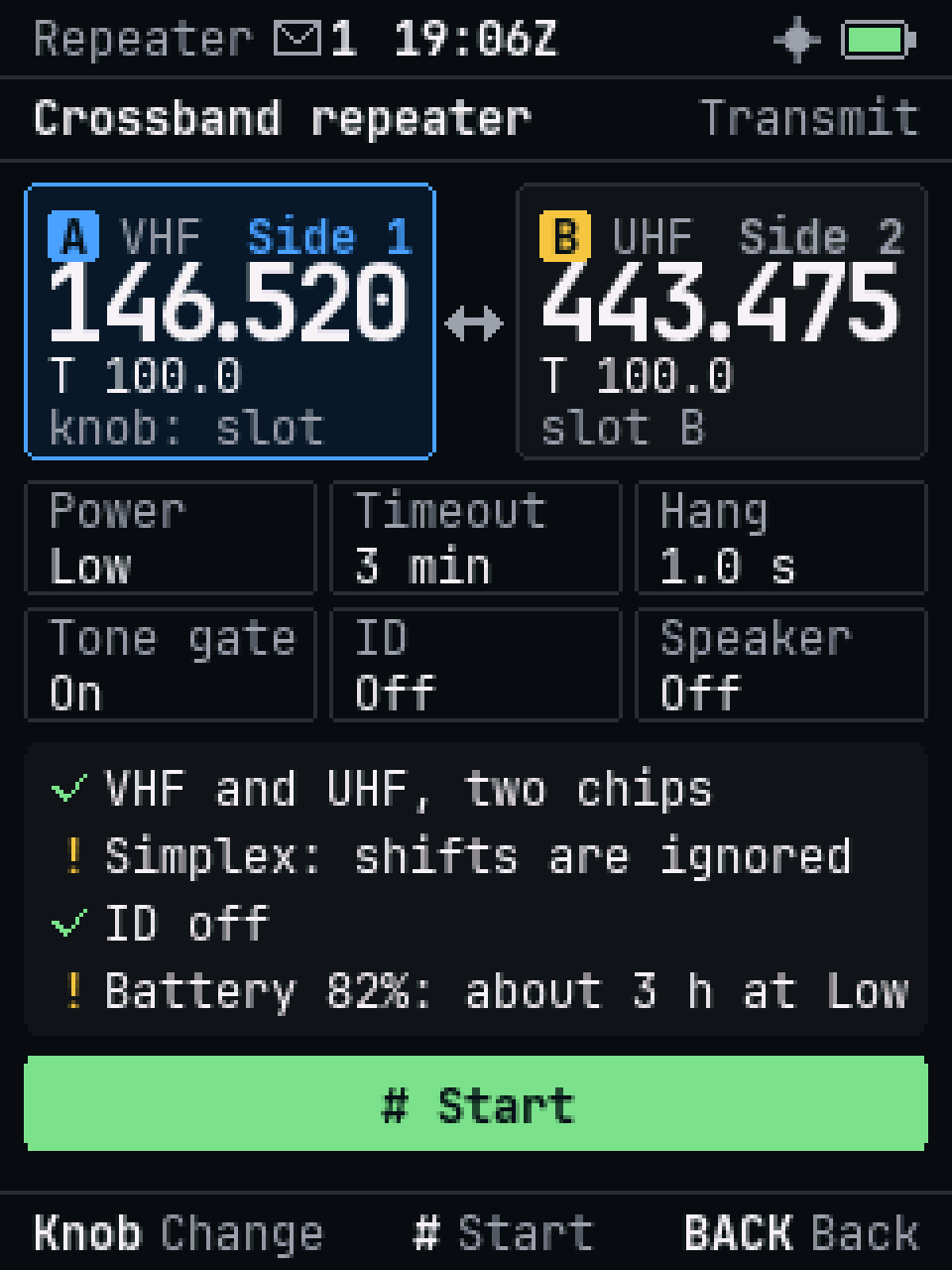
- Crossband repeater between a VHF and a UHF slot.
- VOX, mic gain, DTMF, CW ID, busy lockout and a transmit timeout.
APRS
APRS, on the radio itself
APRS mode gives slot C to APRS and decodes it in the background, while A and B stay free for voice.
- Messages with predictive text and quick replies, retried up to 5 times until acknowledged.
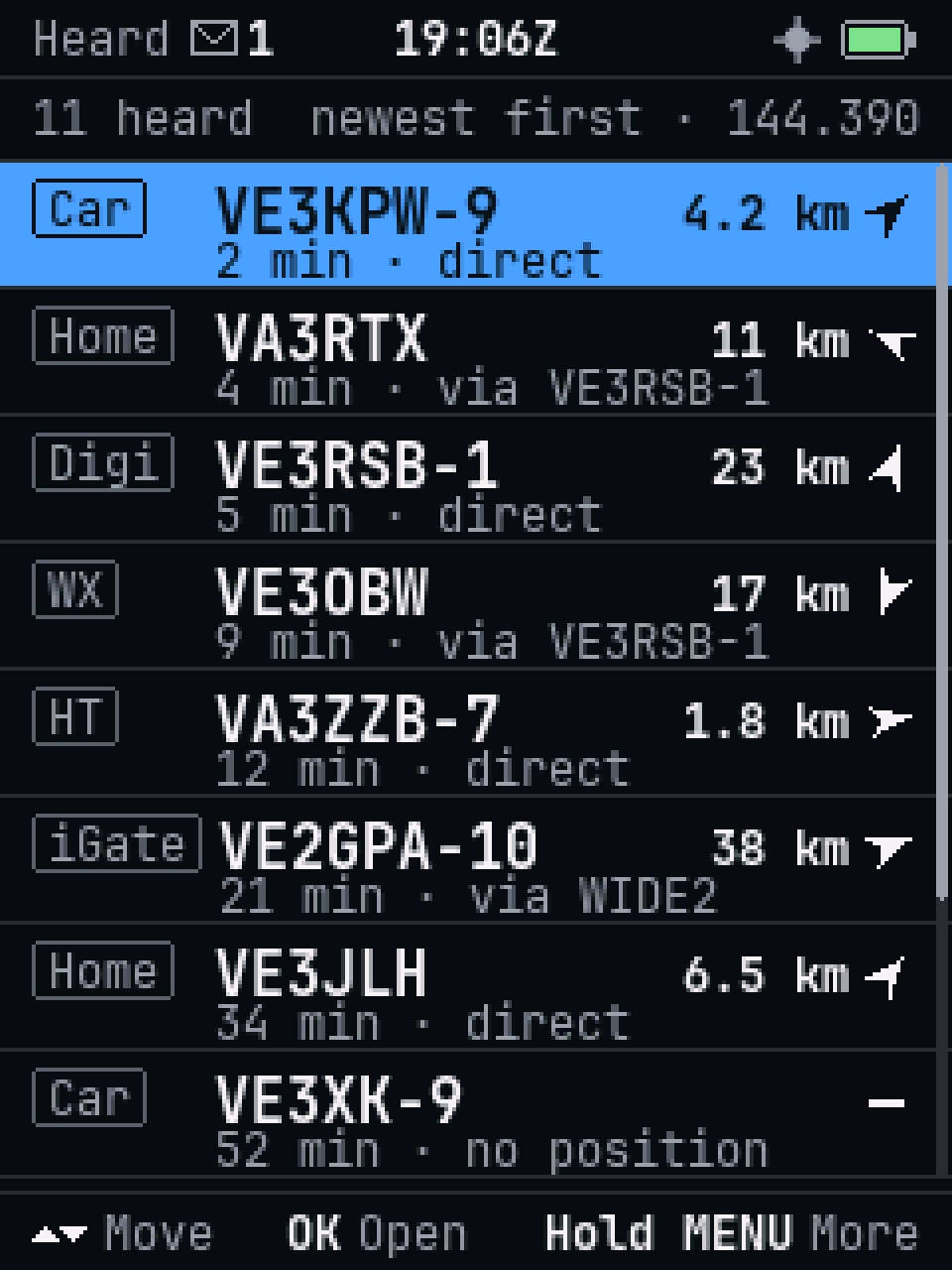
- Stations heard, with distance, direction and route. Save one as a waypoint.
- Beacons by hand, on a timer, or Smart (following your speed), and a list of which digipeaters repeated yours.
- KISS TNC over the cable or Bluetooth, for apps on your computer or phone.
- FX.25 error correction, digipeating, Mic-E and telemetry.
Listen
Broadcast FM, shortwave and weather
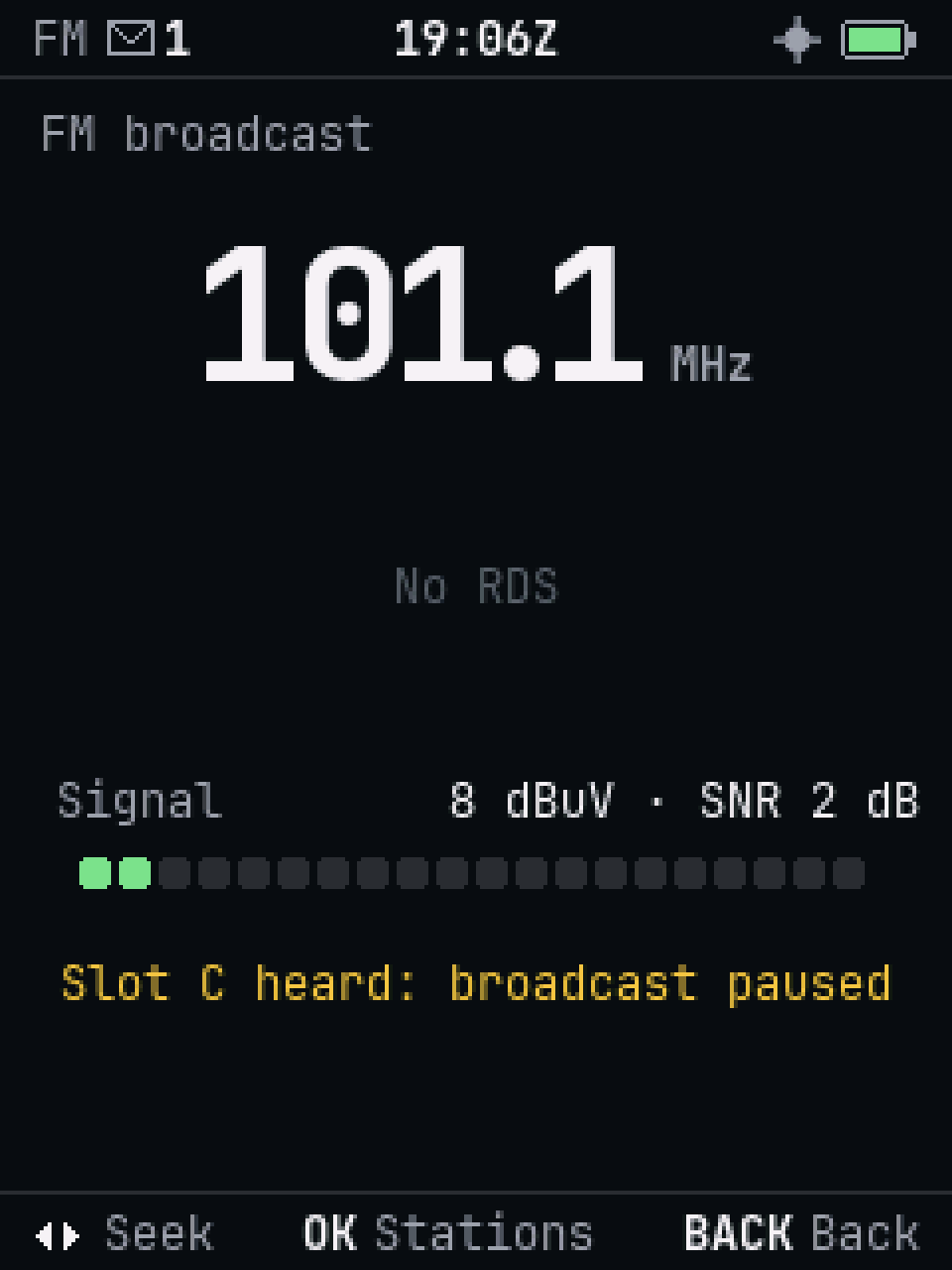
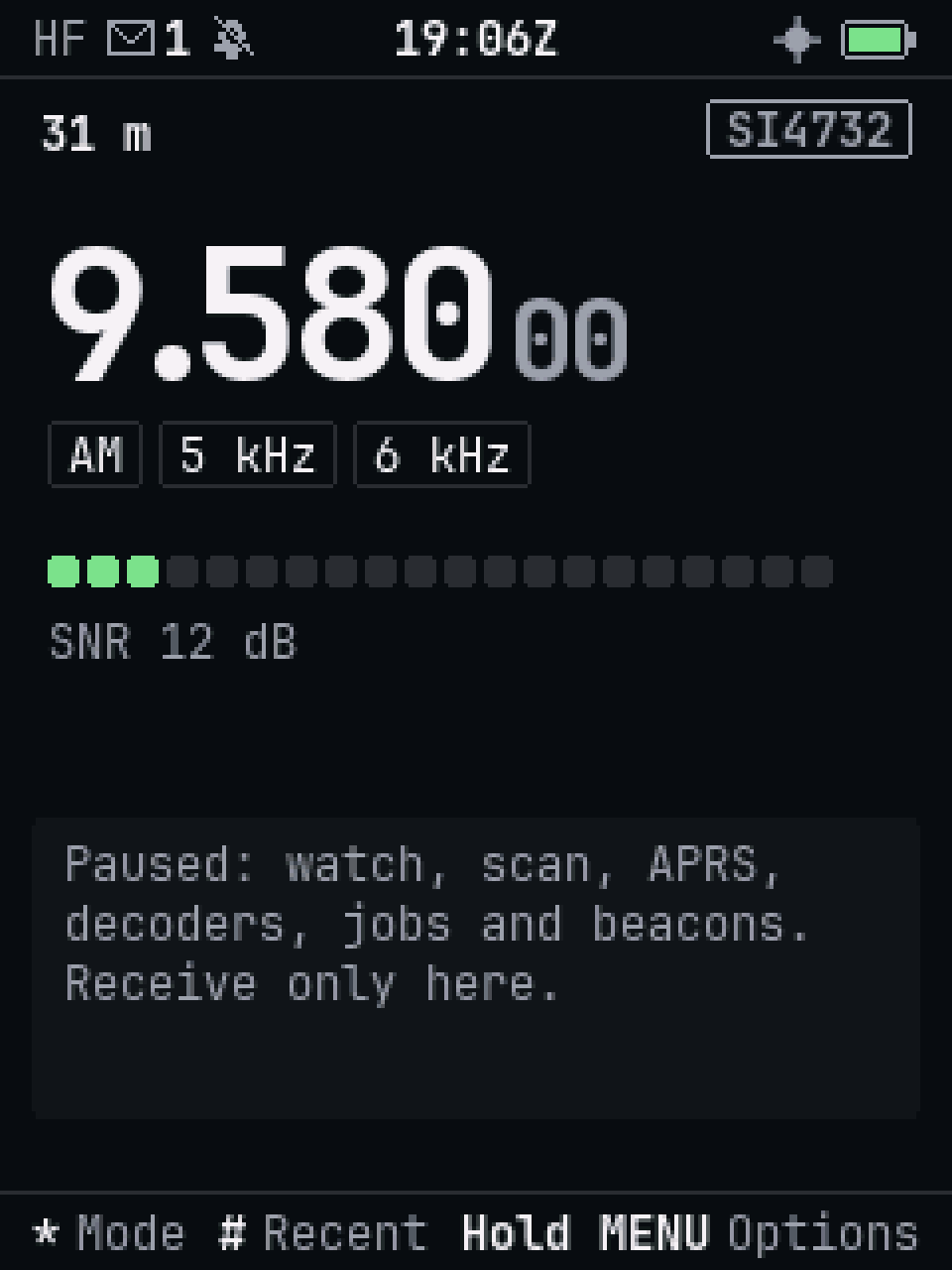
A third receiver chip handles broadcast FM, AM and shortwave on its own.
- FM broadcast on any slot, with stereo and station text (RDS). Your other slots keep watching; the music goes quiet when one of them receives.
- HF mode for shortwave and the HF amateur bands: AM everywhere, FM from 18 MHz.
- The band scope shows activity around your frequency at a glance.
- Weather radio for the US and Canada, with SAME alerts for your area.
- DTMF digits heard show on the slot's card.
GPS and Bluetooth
Where you are, and a link to your computer
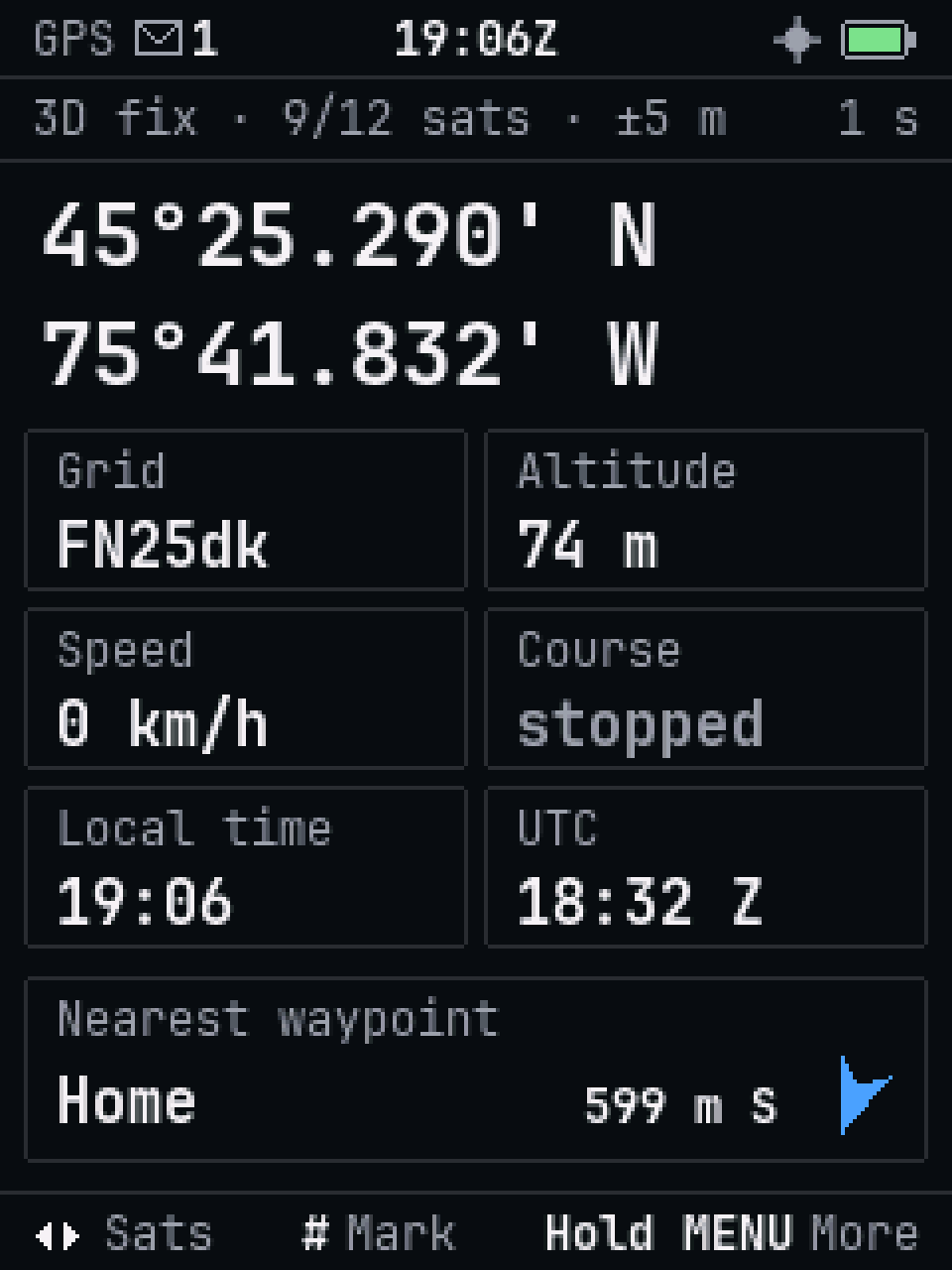
- GPS: position, grid square, altitude, speed and a sky plot. On Auto, it runs only while something needs your position.
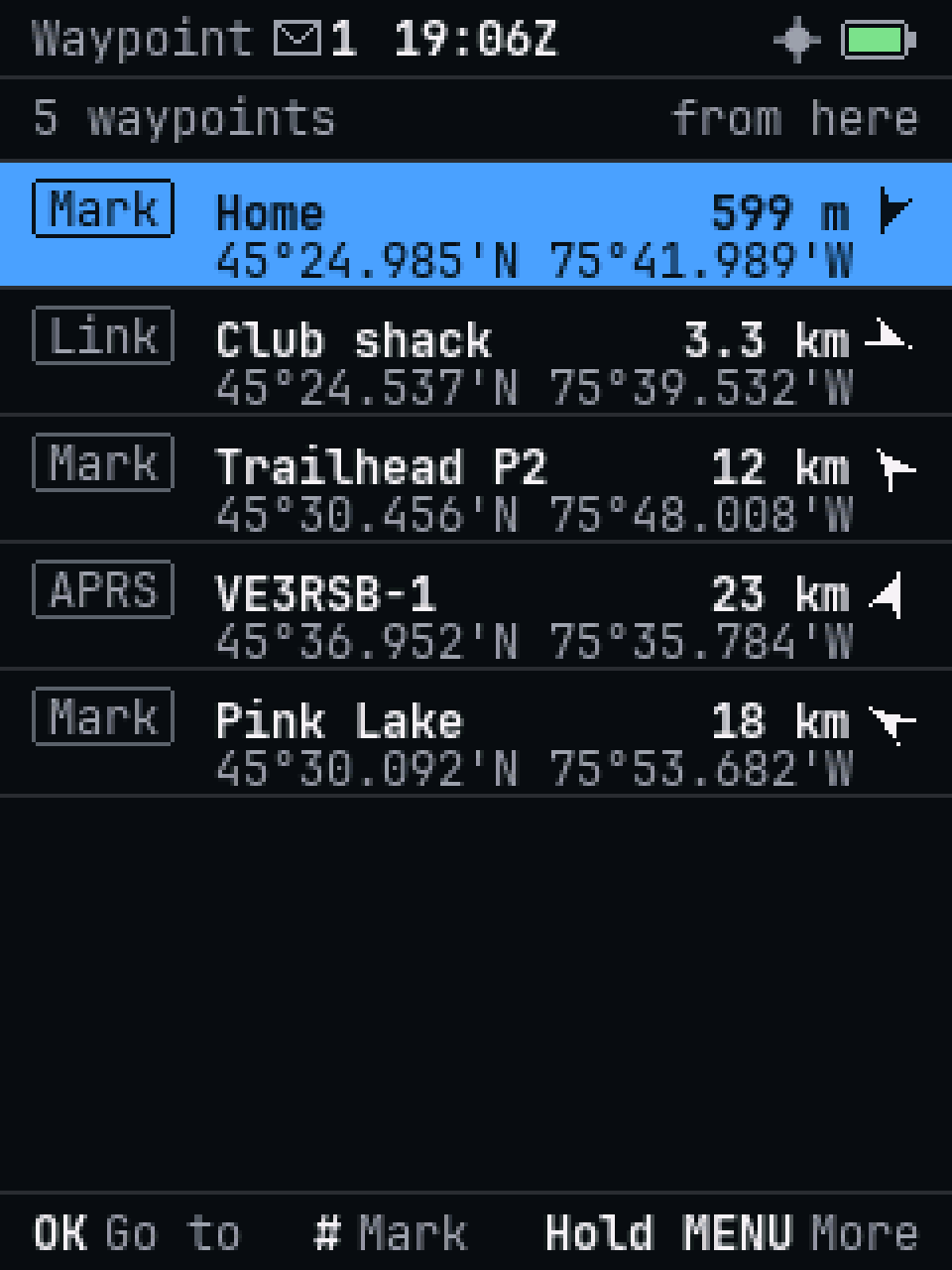
- Waypoints with a dial that turns as you move, and an arrival alarm.
- The clock sets itself from the GPS.
- Bluetooth for Ferrite Console or an APRS app, with an optional PIN.
- Ferrite Console in Chrome or Edge: a live view of the screen, channels with CHIRP CSV import, settings, APRS messages and a map, listening on the computer, and updates.
Power
A battery that lasts
- Dynamic clocking: the processor runs at 24 MHz while the radio waits, and at full speed only while something needs it. Nothing to set.
- Battery Save lets the receivers sleep between short checks, at three depths.
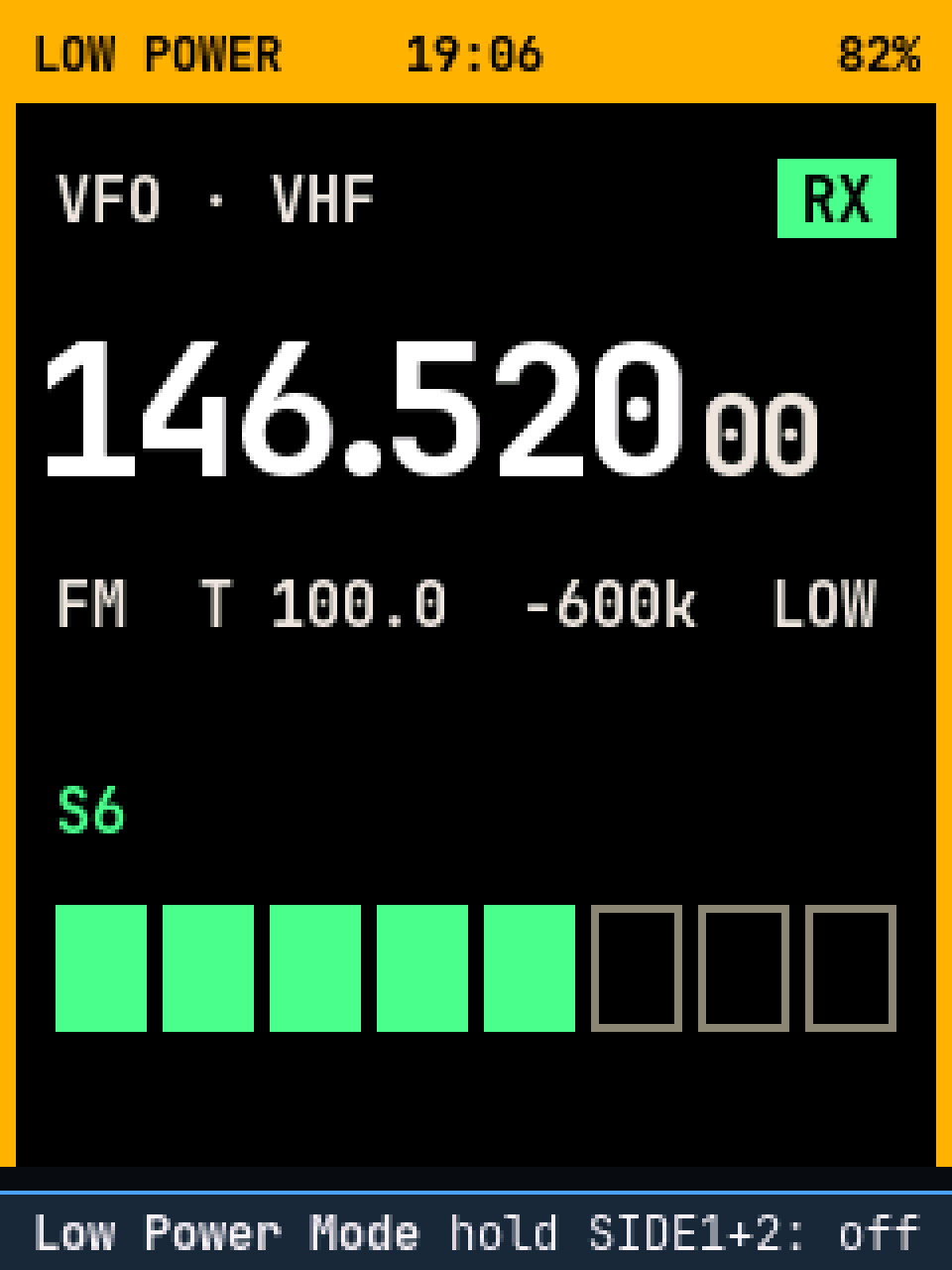
- Low Power Mode keeps only what you need to talk on one frequency. On Auto, it comes on by itself below 20 %. Tuning, the menus and editing still work.
- Night red two presses away, and a high-contrast daylight theme for the sun.
Why change firmware
Why Ferrite instead of stock
The radio is good hardware. Ferrite is a different idea of how to use it: one fixed key layout, three slots that listen at once, APRS and the decoders on the radio itself, and a lot of attention to battery life. Some things it keeps exactly as they were:
- Your calibration is used as it is and never erased.
- The radio's own bootloader installs every image and is never changed, so an update can always be tried again.
- Going back is built into Ferrite Console: it writes your old channels and settings back, then the original firmware.
The how-to for every feature is in the user guide.